
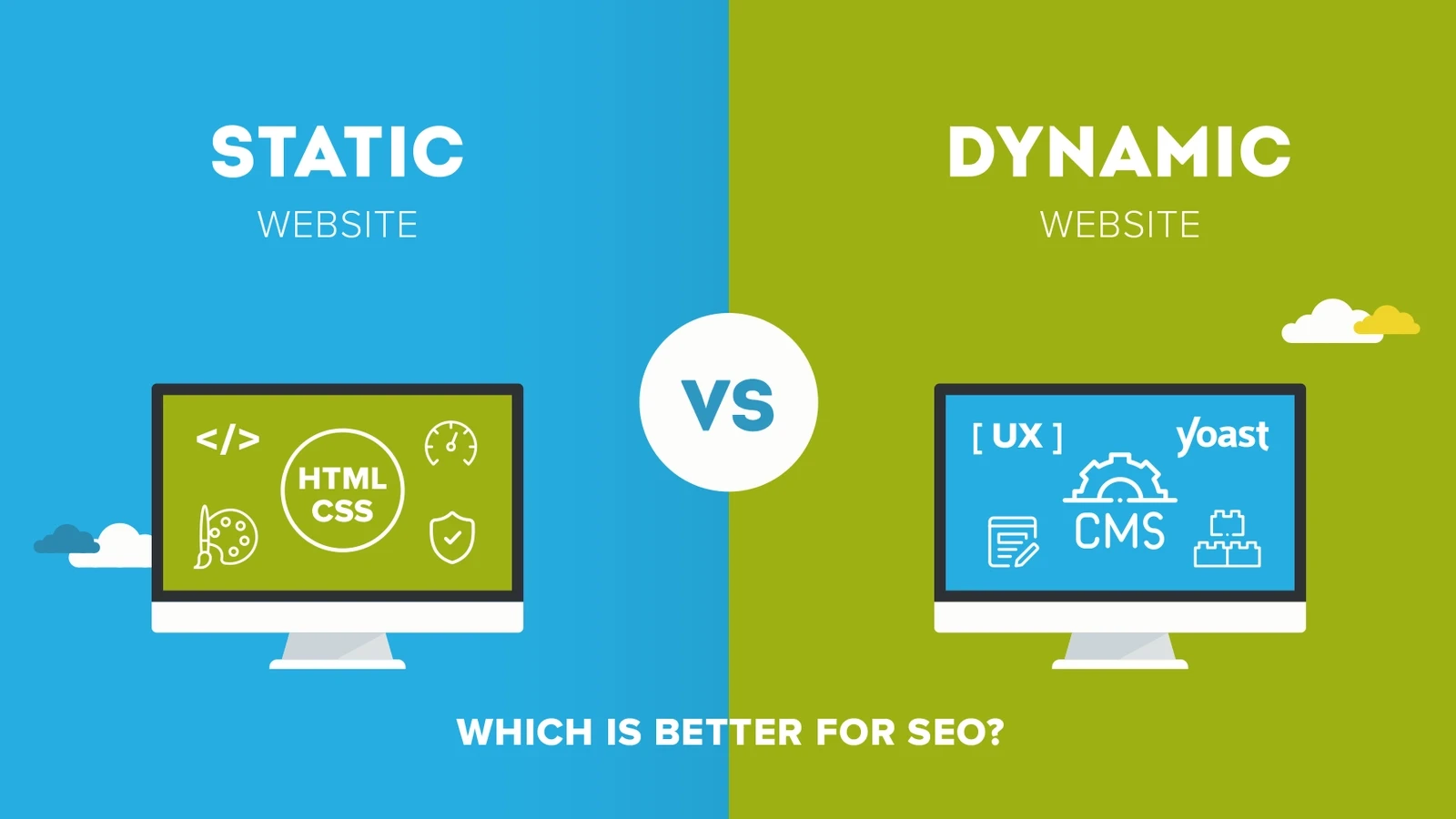
When building a website, one of the most important decisions you’ll face is selecting the right web technology—static or dynamic. Each type of web technology offers distinct advantages, and the ideal choice depends largely on your specific goals. Are you aiming for ultra-fast loading speeds, engaging user interactivity, or a scalable infrastructure that grows with your needs? Understanding the strengths and limitations of each web technology is essential to making the right choice. In this guide, we’ll break down the pros, cons, and best use cases of static and dynamic solutions to help you choose the web technology that best aligns with your project objectives.
Understanding Web Technology Basics
What is Web Technology?
At its core, web technology refers to the tools, languages, and frameworks used to build websites and web applications. It includes everything from the front-end elements users interact with (like HTML, CSS, JavaScript) to the back-end systems that manage databases, user authentication, and more.
Modern web technology has evolved beyond simple HTML pages. Today, developers use sophisticated web stacks that combine various technologies like frameworks, APIs, databases, and hosting platforms. Choosing the right mix depends not only on your project’s size but also on your desired level of interactivity, automation, and scalability.
When we talk about choosing between static vs dynamic websites, we’re essentially deciding how the website delivers content to users. Static websites serve fixed content, while dynamic websites generate content on the fly based on user interactions, databases, and logic.
Difference Between Static and Dynamic Websites
Let’s make this simple:
- Static websites are like printed flyers—you design them once and distribute them unchanged to everyone.
- Dynamic websites are like personalized emails—they can change based on who’s receiving them, when, and why.
Here’s a quick comparison:
| Feature | Static Website | Dynamic Website |
| Content | Fixed and pre-written | Generated in real-time |
| Backend | Not required | Required |
| Speed | Very fast | Slightly slower |
| Interactivity | Minimal | High |
| Cost | Low | Higher (due to complexity) |
| Best For | Portfolios, Blogs, Landing Pages | E-commerce, Social Media, Dashboards |
So, which one’s better? It depends on your goals. If you want blazing-fast loading times and don’t need frequent updates, go static. If you need logins, content updates, or user interactivity, dynamic is your go-to.
Importance of Aligning Web Technology with Your Goals
Business Objectives and Website Functionality
Every website has a purpose—whether it’s to generate leads, sell products, inform audiences, or entertain users. Your choice of web technology should align with that purpose.
Let’s say you’re building an online store. You’ll need:
- Product pages that update frequently
- A shopping cart and checkout system
- User login and purchase history
Clearly, this calls for dynamic technology.
But if you’re creating a digital portfolio or a landing page for an event, a static site might be perfect. It’s faster, easier to maintain, and cost-effective.
Matching your business goals with the right tech stack is like pairing shoes with the right outfit. They both need to work in sync to give you the best performance.
User Experience and Performance Considerations
User experience (UX) is the soul of any website. A fast, intuitive, and visually appealing site will always win over a sluggish, clunky one—regardless of what technology powers it.
Static sites often win the speed race because:
- They don’t require database calls
- Their content is pre-built and delivered via CDNs
- Fewer points of failure exist
However, dynamic sites can offer a richer experience by:
- Adapting content to users in real-time
- Allowing interactivity like forms, live chat, dashboards
- Enabling personalization and engagement
Ask yourself:
- Do I want users to interact with my site?
- Will content change frequently?
- Is real-time functionality important?
If you answered yes to any of those, you might need dynamic features—even if just partially.
Static Web Technology: Simplicity and Speed
What is a Static Website?
A static website is composed of pre-coded HTML files that are delivered directly to the user’s browser. Each page is coded individually and doesn’t change unless manually edited. There’s no database or server-side scripting involved.
Think of a static site as a digital brochure. It’s simple, fast, and efficient. The files are stored on a server and served as-is when requested. Popular tools to create static sites include:
- Jekyll
- Hugo
- Gatsby
- Eleventy
Static sites are ideal for projects that don’t require user input or frequent updates. And with the rise of JAMstack architecture, they can be enhanced with APIs and JavaScript to add dynamic elements where necessary.
Pros and Cons of Static Websites
Let’s weigh the benefits and drawbacks of going static.
Pros:
- Lightning-fast performance: No server-side processing means pages load instantly.
- High security: Fewer vulnerabilities due to the absence of a database or backend logic.
- Low cost: Hosting static files is cheap or even free with services like GitHub Pages or Netlify.
- Easy deployment: Push to a repo, and you’re live.
Cons:
- Hard to scale content: Each new page needs to be manually created.
- Limited interactivity: You can’t have user logins, carts, or forums.
- Challenging content updates: Without a CMS, editing requires basic coding knowledge.
In short, static sites are perfect when you prioritize speed and simplicity over complexity and interactivity.
Best Use Cases for Static Sites
Here are some ideal scenarios where static web technology shines:
- Portfolio websites for creatives
- Documentation and help centers
- Event landing pages
- Marketing microsites
- Simple blogs with occasional updates
These sites don’t need frequent content changes or user interaction, making static the logical and efficient choice.
Dynamic Web Technology: Interactivity and Scalability
What is a Dynamic Website?
A dynamic website is a site where content is generated on-the-fly based on user interactions, browser data, or information pulled from databases. Unlike static websites, where every page is pre-written, dynamic websites use server-side scripting languages like PHP, Python, or Node.js to deliver different content based on various conditions.
Imagine logging into a website like Amazon or Facebook. The homepage you see is completely different from what another user sees. That’s the magic of dynamic websites—they’re personalized, interactive, and data-driven.
Technologies typically used in dynamic websites include:
- Languages: PHP, Python, Ruby, JavaScript (Node.js)
- Frameworks: Django, Laravel, Express, Rails
- Databases: MySQL, PostgreSQL, MongoDB
Dynamic websites are especially suited for platforms that:
- Require frequent content updates
- Collect and display user data
- Handle large user bases and data interactions
Advantages and Disadvantages of Dynamic Sites
Dynamic sites are a powerhouse for functionality, but that power comes with trade-offs.
Advantages:
- Personalized user experience: Tailored content keeps users engaged.
- Content management: Use CMS tools like WordPress or Drupal to manage content easily.
- Scalability: Great for growing platforms with evolving needs.
- Interactive features: Forms, live chats, user dashboards, and more.
Disadvantages:
- Slower performance: Because pages are built in real-time, load times can increase.
- Security concerns: More moving parts mean more vulnerabilities.
- Higher cost: Development, hosting, and maintenance can be more expensive.
- Complexity: Requires skilled developers for setup and troubleshooting.
Still, if your website goals involve user engagement, real-time data, or frequent content changes, dynamic tech is non-negotiable.
When to Choose a Dynamic Web Approach
A dynamic site makes sense when your goals include:
- User authentication and dashboards (e.g., SaaS platforms)
- Interactive elements (e.g., polls, forms, quizzes)
- Real-time data updates (e.g., stock prices, sports scores)
- E-commerce functionalities (e.g., shopping carts, inventory management)
If you’re building a site where visitors expect a custom experience, or if your content is frequently changing or pulled from a database, go with dynamic.
Comparing Static vs Dynamic Web Technologies
Speed and Performance
Static websites are nearly unbeatable in terms of raw speed. Since they consist of pre-rendered HTML, there’s no waiting around for a server to generate a response.
Dynamic websites, on the other hand, need to process scripts, query databases, and then assemble a page. That adds milliseconds (or even seconds) to load times—unless you optimize carefully.
Let’s break it down:
| Feature | Static | Dynamic |
| Page Load Speed | Very Fast | Slower (unless cached) |
| Caching Options | Easily cacheable | Requires smart caching strategies |
| Server Load | Minimal | Higher server resource usage |
| Reliability | Highly reliable | Susceptible to backend/server issues |
Winner for speed: Static
Winner for complexity management: Dynamic
To boost performance on dynamic sites, developers often implement caching (like Redis or Memcached), CDNs, and database optimization techniques.
Flexibility and Content Management
If flexibility means customization, dynamic websites win by a mile. With dynamic content, you can display different content to different users, automate updates, and add rich features without manually updating pages.
Static sites have traditionally lacked content management capabilities, but tools like headless CMS (e.g., Contentful, Sanity) are changing that. You can now manage content visually and generate static sites using CMS data.
Still, for traditional CMS experiences and user-driven platforms, dynamic remains the more flexible choice.
Security Considerations
Security should never be an afterthought.
Static sites are more secure by nature. No backend = fewer vulnerabilities. No SQL injections, fewer XSS risks, no server exploits.
Dynamic sites, though powerful, require ongoing security audits:
- Database encryption
- Secure user authentication
- Input validation
- Firewall and DDoS protection
You’ll need to patch software frequently, monitor threats, and harden your backend architecture.
In terms of risk:
- Static = low maintenance, minimal risk
- Dynamic = high control, but more exposure
If your project handles sensitive data, prioritize strong security practices no matter the tech stack.
Web Development Goals and Matching the Right Technology
Launching a Blog or Portfolio
For personal portfolios or blogs, the key goals usually include:
- Speed and simplicity
- Low maintenance
- Good SEO
- Easy deployment
Static websites excel here. Use tools like:
- Jekyll or Hugo for blogs
- Netlify CMS for managing content
- GitHub Pages or Vercel for free hosting
These technologies let you focus on writing and designing rather than backend management. Plus, they’re lightning-fast and SEO-friendly.
However, if you want:
- Multiple authors
- Scheduled posts
- User comments
Then a dynamic blog platform like WordPress might be more suitable.
Developing a Complex E-commerce Platform
Here’s where dynamic web technology really shines.
An e-commerce platform isn’t just a digital storefront—it’s a fully-fledged application:
- Inventory management
- Secure checkout
- User profiles
- Transaction processing
Popular dynamic stacks include:
- Shopify (hosted SaaS)
- WooCommerce (WordPress plugin)
- Magento (enterprise-grade)
- Custom builds using React + Node.js + MongoDB
Static can still play a role in e-commerce—for landing pages, product catalogs, or headless frontends—but the core functionality requires dynamic systems.
Building a Web App with Real-Time Features
If you’re creating a web app—a dashboard, collaboration tool, or real-time communication system—you need full interactivity, real-time updates, and seamless user management.
Dynamic technologies are built for this. Think:
- Firebase for real-time backend
- React.js or Vue.js for dynamic front-end experiences
- Socket.IO for live chat and notifications
- GraphQL for smart data fetching
You’ll benefit from rich functionality, API integrations, and scalable infrastructure.
For real-time apps, static simply won’t cut it.
Key Factors to Consider When Choosing Web Technologies
Budget Constraints
Your budget plays a crucial role in deciding between static and dynamic web technologies. If you’re bootstrapping a personal project or launching a small business with limited resources, you’ll need to think carefully about not just the initial development costs, but also long-term maintenance and scalability.
Here’s how the two options stack up:
Static Websites:
- Lower development cost: Minimal coding required.
- Free or low-cost hosting: GitHub Pages, Netlify, and Vercel offer free tiers.
- No database costs: Everything is stored as flat files.
- Maintenance is easier: Updates are manual but infrequent.
Dynamic Websites:
- Higher setup cost: Requires back-end development.
- Ongoing hosting fees: Needs more robust infrastructure (databases, servers).
- Security expenses: More components to monitor and secure.
- Developer time: More complexity means more time, hence more cost.
Startups and small business owners often find it easier to launch with a static website and then migrate to a dynamic platform once their business and budget grow. It’s a smart way to test ideas without committing to a large financial outlay.
Scalability and Maintenance
Scalability refers to how well your site can handle growth—more users, more traffic, more features. Maintenance relates to how easy it is to keep your site secure, up-to-date, and error-free.
Static websites scale well in terms of traffic. Since pages are pre-built, they can be served instantly to thousands of users via a CDN. However, they don’t scale easily in terms of content or complexity. If you need to manage hundreds of pages or frequent content updates, it becomes time-consuming.
Dynamic websites scale in both directions:
- Vertically: Add more users, more pages, more data.
- Horizontally: Add features like forums, carts, search, user profiles.
But this scalability demands:
- Database management
- Code refactoring
- Server scaling (or using scalable platforms like AWS or Firebase)
When thinking long-term, always choose the platform that matches your expected growth curve, not just your current state.
SEO and Content Strategy
Search Engine Optimization (SEO) is critical for visibility and organic traffic. Both static and dynamic sites can be SEO-friendly, but they have different strengths.
Static Sites:
- Pages load fast—Google loves speed.
- Content is easily crawlable—no JavaScript hurdles.
- URLs are clean and structured.
- Great for blogs, portfolios, and landing pages.
Dynamic Sites:
- Can suffer from slow load times and poor indexing if not optimized.
- Require extra configuration for SEO (e.g., dynamic meta tags, structured data).
- May need tools like pre-rendering, SSR (Server-Side Rendering), or dynamic sitemap generation.
In both cases, you’ll need:
- Mobile responsiveness
- Clean HTML structure
- Optimized images and scripts
- Rich metadata
Dynamic sites just need a little more SEO TLC to perform well in search rankings.
Popular Web Technologies for Static and Dynamic Sites
Static Site Generators (Jekyll, Hugo, Gatsby)
Static Site Generators (SSGs) have made static development more powerful and automated. They let you build content in markdown, use templates, and generate static HTML pages at build time.
Popular SSGs:
- Jekyll: Integrated with GitHub Pages; ideal for blogs and docs.
- Hugo: Super fast; great for larger sites.
- Gatsby: Built with React; perfect for integrating headless CMS.
Why choose SSGs?
- Content management becomes easy using markdown or APIs.
- You get the speed of static sites with some dynamic-like flexibility.
- Ideal for developers who prefer Git-based workflows.
SSGs make it possible to create modern, blazing-fast websites without losing flexibility or SEO-friendliness.
Dynamic Frameworks (React, Angular, Vue, Django)
If you need interactive interfaces, user accounts, real-time data, or complex workflows, you’ll want to explore these dynamic frameworks:
Front-End Frameworks:
- React: Component-based, highly scalable, backed by Meta.
- Angular: A full-featured framework; ideal for enterprise apps.
- Vue: Lightweight and approachable; great for fast prototyping.
Back-End Frameworks:
- Django (Python): Batteries-included, secure, great for rapid development.
- Laravel (PHP): Elegant syntax, built-in ORM, and templating.
- Express (Node.js): Minimalist and performant; great for custom APIs.
These frameworks offer tools, libraries, and ecosystems to speed up development and enable rich features. If your project has complex requirements or is expected to grow, dynamic frameworks offer the power and control you need.
Hosting Solutions for Static vs Dynamic Sites
CDN and Static Hosting Providers
For static websites, hosting is fast, cheap, and easy. Since files are simple HTML, CSS, and JS, you can host them anywhere.
Popular static hosts:
- Netlify: Free tier, continuous deployment, CDN support.
- Vercel: Great for JAMstack and Next.js sites.
- GitHub Pages: Perfect for personal or open-source projects.
- Cloudflare Pages: Secure, performant, developer-friendly.
All of these offer built-in CDN delivery, SSL, and custom domain support. Deployment is often as simple as connecting your GitHub repo and pushing a commit.
Dynamic Hosting and Backend Servers
Dynamic sites require more robust hosting due to backend logic, database connections, and server runtime.
Common platforms:
- Heroku: Easy deployment for Node.js, Ruby, Python, and more.
- DigitalOcean: Affordable VPS hosting; full server control.
- Firebase: Real-time database and backend hosting.
- AWS/GCP/Azure: Enterprise-grade, infinitely scalable cloud platforms.
Considerations include:
- Server uptime and load balancing
- Database backup and performance
- Monitoring and scaling tools
While more complex to manage, dynamic hosting lets you build feature-rich applications and scale them effectively as user demand grows.
Real-World Examples: Static and Dynamic Website Success Stories
How Brands Use Static Sites for Speed
Many global brands are switching parts of their web infrastructure to static or JAMstack solutions to improve performance.
Examples:
- Smashing Magazine moved to JAMstack with Hugo and Netlify, cutting their page load times dramatically.
- Nike uses static content for landing pages, ensuring fast delivery during product drops.
- Airbnb’s engineering blog is built with a static generator for performance and security.
These companies blend the reliability of static content with the power of APIs to deliver seamless experiences.
How Startups Leverage Dynamic Web Apps for Growth
Startups often rely on dynamic sites to offer interactive, user-driven features that are central to their value proposition.
Examples:
- Slack delivers real-time communication using dynamic web sockets.
- Shopify powers millions of online stores using dynamic tech at its core.
- Trello uses React and Node.js to deliver real-time collaborative boards.
These tools are not just websites—they are platforms. And they couldn’t function without dynamic web technology that supports user sessions, real-time sync, and interactive dashboards.
SEO Considerations: Static vs Dynamic Content
Indexing and Crawlability
When it comes to SEO, a lot depends on how easily search engines like Google can crawl, index, and rank your website’s content.
Static websites make this process easy. Each page is a standalone HTML file with fixed content. This structure allows:
- Faster indexing by search engines
- Clean, readable URLs
- Full control over meta tags, headers, and titles
- Pre-rendered content visible without JavaScript
On the flip side, dynamic sites can present challenges. Pages are often generated on the fly, and if the content relies heavily on JavaScript rendering, crawlers may miss vital information.
To fix this, you’ll need:
- Server-Side Rendering (SSR) or pre-rendering
- XML sitemaps
- Schema markup for dynamic content
- Tools like Google Search Console to monitor indexing
If SEO is a top priority—and you’re not technically inclined—static websites may offer a simpler path to success.
Dynamic Rendering and SEO Challenges
Dynamic websites need a smart SEO strategy because:
- Content may not be available at page load (due to JS rendering delays)
- URLs can be messy if not configured properly
- Meta content often needs to be generated per user or page
However, modern frameworks like Next.js (React-based) offer SSR and hybrid rendering options to help bridge the gap between dynamic functionality and SEO best practices.
Best practices include:
- Using canonical tags to avoid duplicate content
- Implementing structured data for rich snippets
- Compressing assets for faster load times
- Lazy loading non-critical elements
Done right, a dynamic site can rival or even outperform static ones in search rankings.
Hybrid Approaches: Combining Static and Dynamic Features
JAMstack and Modern Web Architecture
The modern web is not always about choosing static OR dynamic—you can combine the best of both using hybrid approaches like JAMstack.
JAMstack stands for:
- JavaScript for dynamic functionality
- APIs to fetch external or backend data
- Markup (pre-rendered content) delivered via CDNs
This approach lets you:
- Serve static pages at lightning speed
- Use dynamic data without a monolithic server
- Scale your website effortlessly
- Integrate third-party services (Stripe, Auth0, CMS)
Tools like Next.js, Nuxt, and Sapper allow for hybrid rendering, meaning you can pre-render some pages and render others on-demand—perfect for websites that need SEO and interactivity.
Server-Side Rendering (SSR) vs Client-Side Rendering (CSR)
SSR generates HTML on the server for each request, making content available instantly to users and crawlers. CSR, on the other hand, loads a barebones page and fills in the content using JavaScript after load.
| Feature | SSR | CSR |
| SEO | Excellent | Moderate (with tweaks) |
| Load Time | Fast first load | Slower initial load |
| Interactivity | Slight delay | Very responsive |
| Complexity | More server-side logic | More front-end dependencies |
Modern frameworks often offer both SSR and CSR, so you can choose based on page type. For instance:
- SSR for blog articles and landing pages
- CSR for dashboards and user profiles
This hybrid flexibility is a major advantage in modern development.
Future Trends in Web Technology
Headless CMS Integration
A headless CMS decouples the content management from the website frontend. Unlike traditional CMS platforms, a headless CMS provides content via API, allowing you to display it using any technology.
Popular headless CMS options:
- Contentful
- Sanity
- Strapi
- Ghost
They allow non-technical users to manage content, while developers can build fast, secure frontends using static or dynamic frameworks.
This trend is driving faster websites, better workflows, and seamless integrations across platforms.
AI and Automation in Web Development
Artificial Intelligence is beginning to reshape how we build websites:
- AI-driven code generation speeds up development.
- Chatbots and virtual assistants improve UX on dynamic sites.
- Predictive content delivers personalization at scale.
- Automated SEO tools optimize content in real time.
AI, when paired with dynamic frameworks and serverless architectures, enables smarter, faster, more efficient web applications tailored to users in real-time.
Expect web development to become more intuitive, data-driven, and personalized than ever.
Choosing the Right Web Technology for Your Next Project
Checklist for Selecting Technology
Here’s a simple checklist to help you decide between static vs dynamic web technology:
✅ Is your content mostly fixed or updated infrequently? → Static
✅ Do you need logins, user interactions, or real-time data? → Dynamic
✅ Is speed your top priority? → Static
✅ Are you launching an e-commerce or SaaS platform? → Dynamic
✅ Do you have a tight budget? → Static
✅ Do you need SEO and scalability? → Hybrid (JAMstack)
Avoiding Common Pitfalls
- Don’t overbuild: A static site might be all you need.
- Don’t underprepare: Dynamic sites need proper security and performance planning.
- Don’t ignore SEO: Whether static or dynamic, search visibility is crucial.
- Don’t skip mobile-first design: Most traffic comes from smartphones.
- Don’t forget maintenance: Choose a stack that fits your team’s skills and time.
Ultimately, the goal isn’t to choose the “better” technology—but the right one for your unique needs.
Conclusion: Making the Informed Choice
Choosing the right web technology—whether static, dynamic, or hybrid—isn’t just a technical decision. It’s a strategic one that should align with your goals, budget, audience, and long-term vision.
Static websites are perfect for simple, fast, and secure projects with minimal interactivity. Dynamic websites unlock rich features, personalization, and scalability for growing platforms. And hybrid solutions offer the best of both worlds with modern performance and functionality.
By understanding the core differences, use cases, and future trends in web technology, you’ll position your website—and your business—for success.
FAQs
- What is the main difference between static and dynamic websites?
Static websites deliver pre-built pages, while dynamic websites generate content on-the-fly using server-side scripts and databases. Static is faster; dynamic is more interactive.
- Can I switch from a static to a dynamic site later?
Yes, many platforms allow for seamless transitions. You can add APIs, use headless CMS, or migrate to a dynamic framework as your needs grow.
- Is static or dynamic better for SEO?
Both can perform well with the right setup. Static sites are easier to optimize initially, but dynamic sites need SSR or pre-rendering to be SEO-friendly.
- What’s a good starting point for small businesses?
A static website with a headless CMS or a simple WordPress dynamic site is a great start—balancing affordability, speed, and flexibility.
- Do I need a developer for both types of sites?
Not necessarily. Static site builders and CMS platforms make it easy for non-developers to build static sites. Dynamic sites often require a developer for setup and custom features.
Leave a Reply